


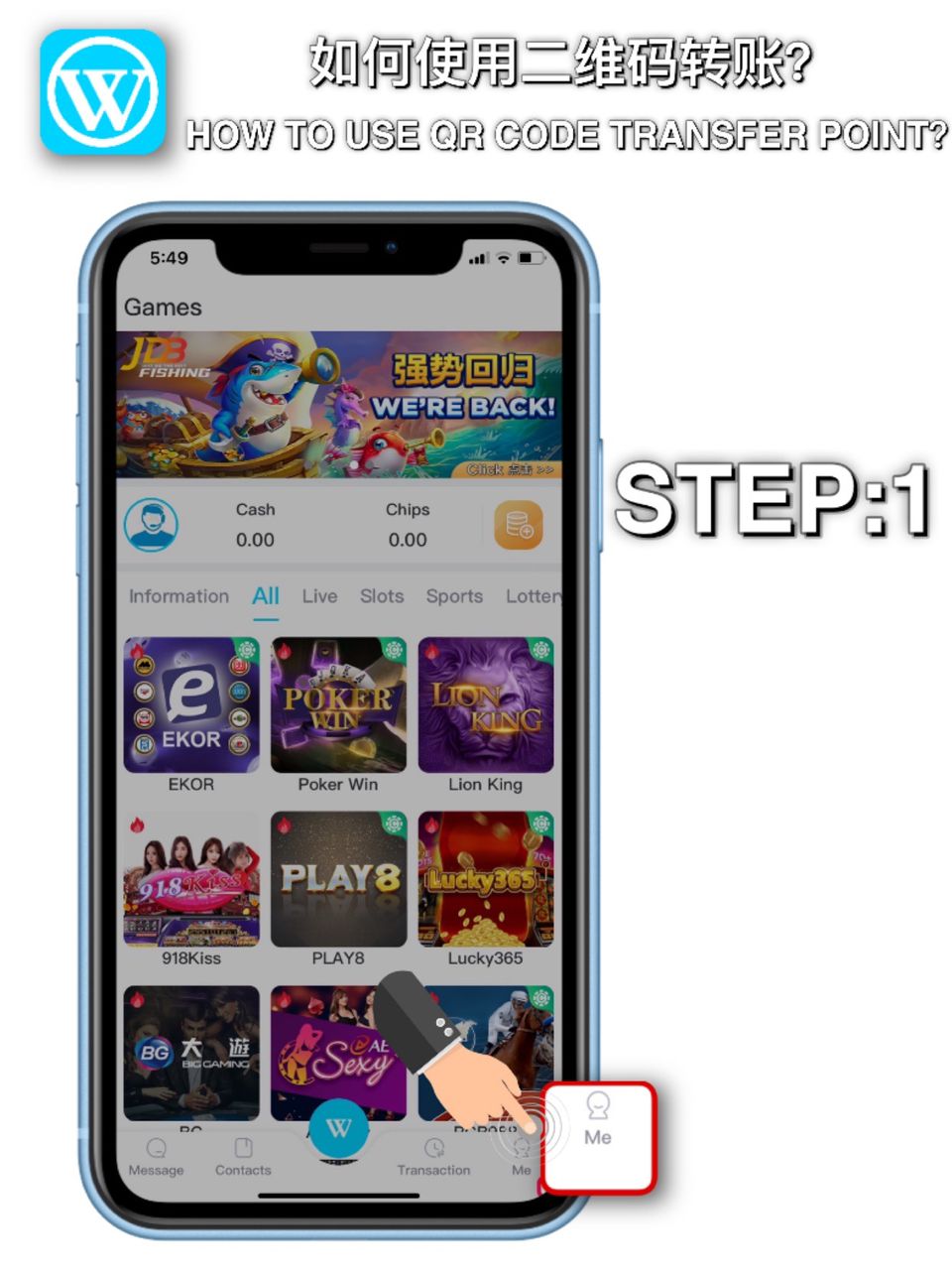

STEP 1
Go to Winbox personal account

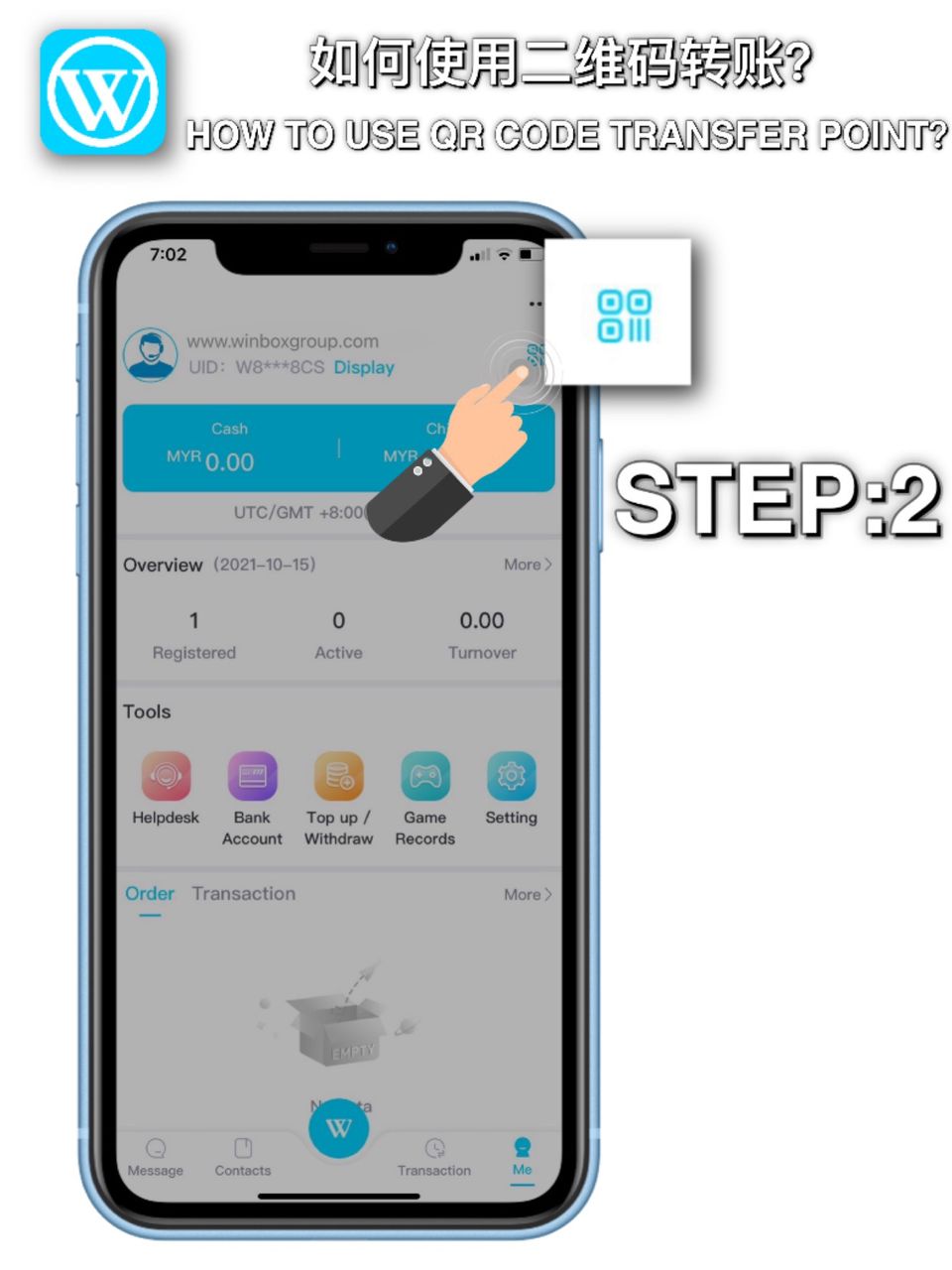
STEP 2
Click the QR code icon (bottom of the Winbox personal account)

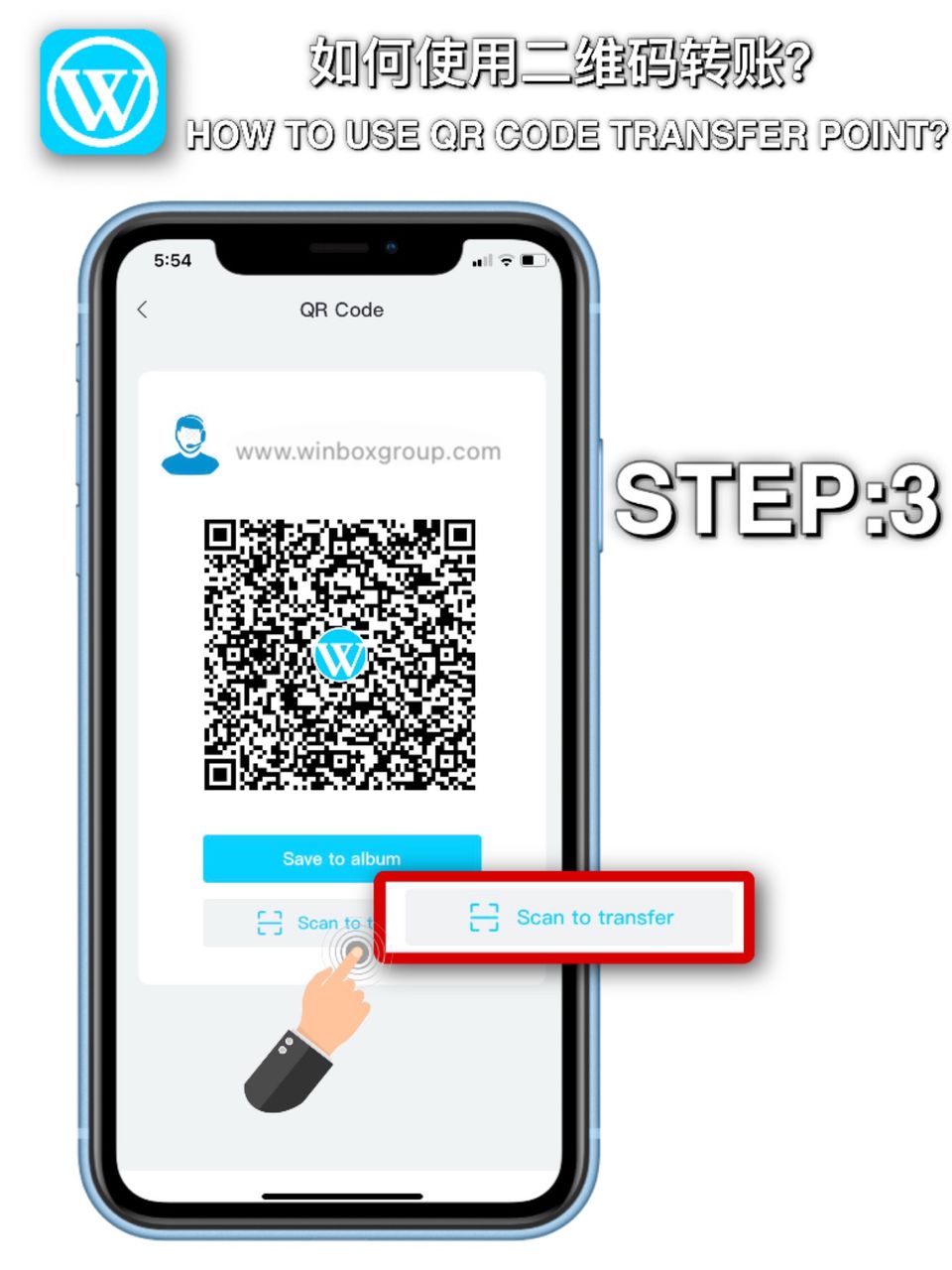
STEP 3
Scan the QR code that you want to transfer to

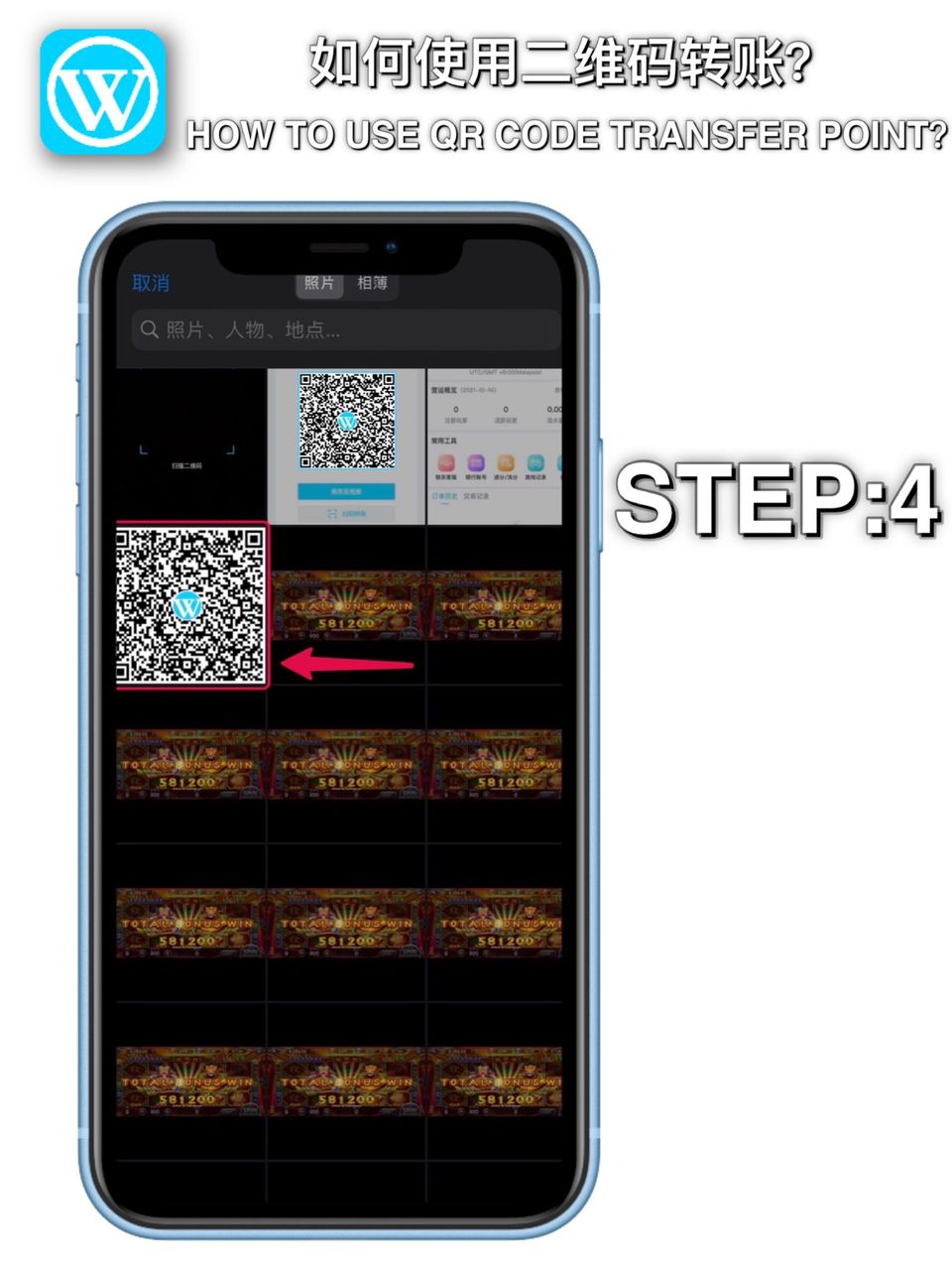
STEP 4
If you already have a QR code that need to be transferred to in your mobile phone album, click “Album” (top right of the QR code scan), and select the QR code

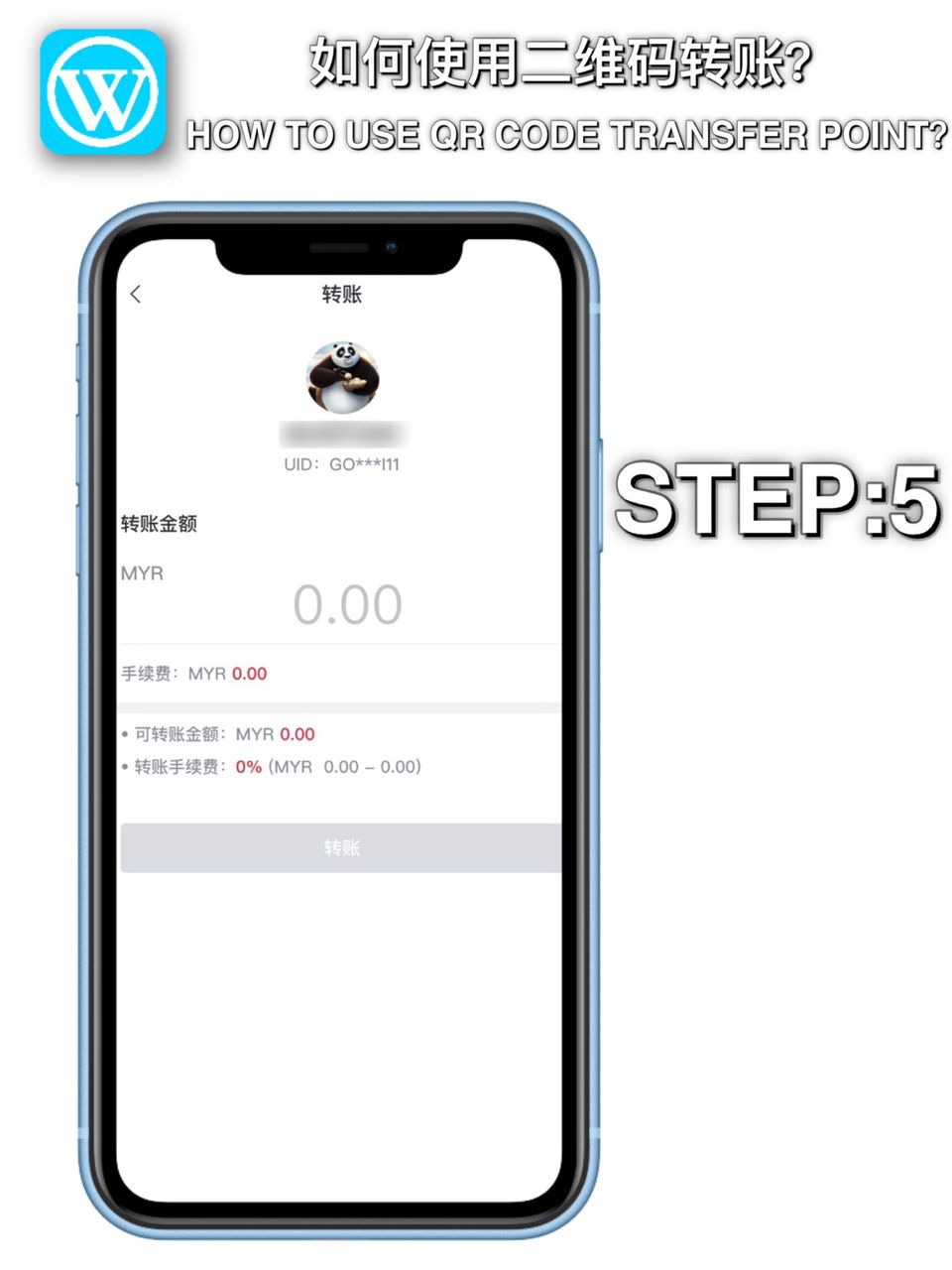
STEP 5
Enter the 6 digit payment code to complete the transfer transaction